-
AuthorSearch Results
-
December 30, 2018 at 7:05 am #9891
In reply to: [Beta] Combat
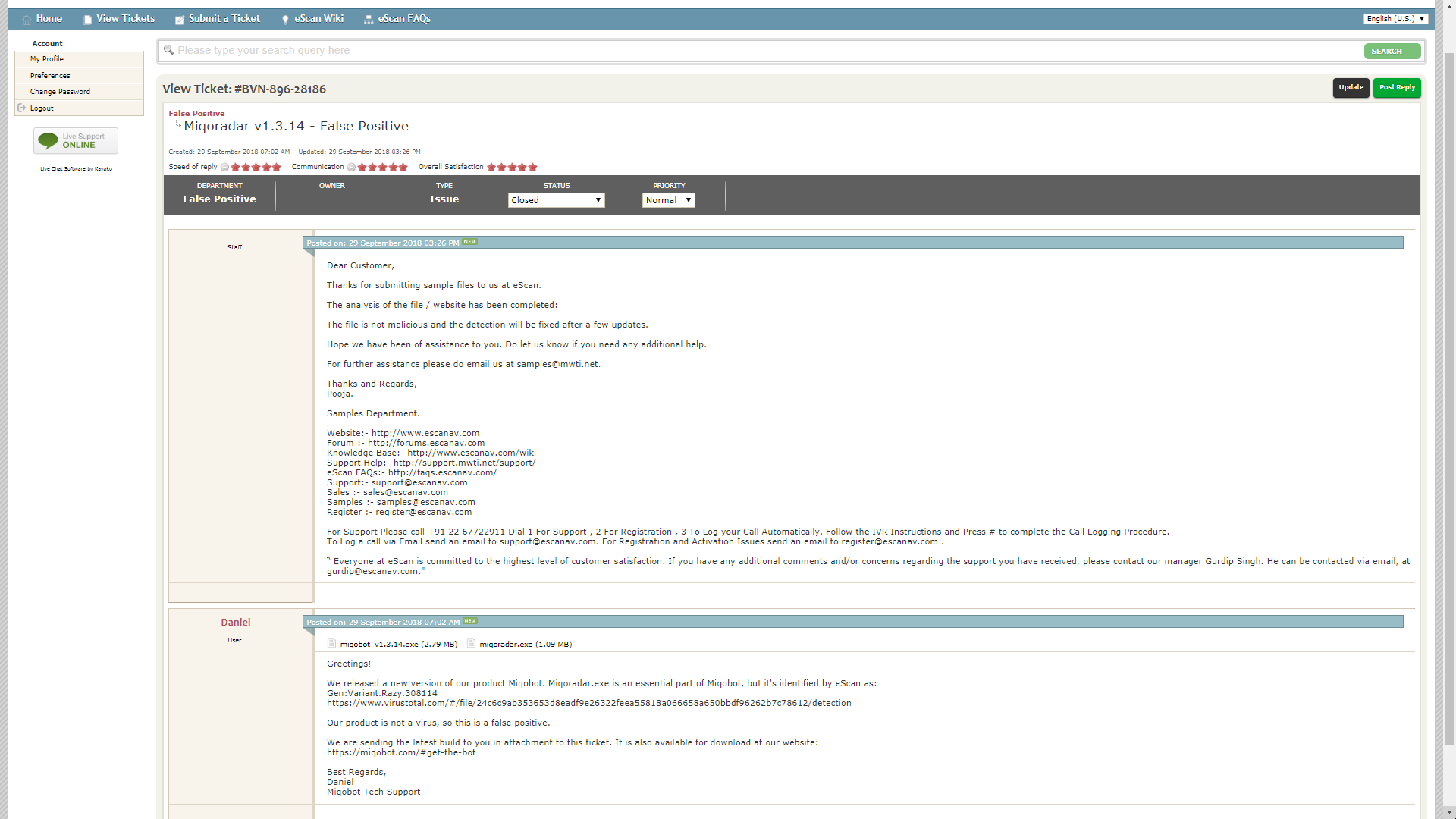
Theres no trojan, explanation here:
– https://miqobot.com/forum/forums/topic/miqobot-flagged-as-trojan-virus/
– https://miqobot.com/forum/forums/topic/virus/
– https://miqobot.com/forum/forums/topic/miqradar-exe-showing-as-virus-a-follow-up/Disable your antivirus and report false positives to AV support.
December 30, 2018 at 6:31 am #9890In reply to: [Beta] Combat
December 16, 2018 at 6:43 am #9761In reply to: Miqobot closing itself
it’s as soon as i hit the import button when it first pops up to either export or import so its nothing im putting into it. I’ve had miqobot before and used the import feature to load in presets but its just starting to do this. Never had an issue with my antivirus while running miqobot before and i havent changed antiviruses at all.
-
This reply was modified 7 years, 3 months ago by
swiftpenguin.
December 16, 2018 at 6:32 am #9760In reply to: Miqobot closing itself
November 13, 2018 at 10:07 pm #9492In reply to: Miqo doesnt start
November 13, 2018 at 9:51 pm #9491In reply to: Miqo doesnt start
November 13, 2018 at 9:49 pm #9490Topic: Miqo doesnt start
in forum DiscussionMy sistems says i need admin permissions but im the admin on my pc, and i got bit defender antivirusm i allready put it in the whitlist but still doesnt work help pls
October 14, 2018 at 8:07 am #9036In reply to: Act4-detection
As we already explained many times, Miqobot is not a virus. Please report this behavior to your antivirus vendor.
We kindly ask you to avoid creating duplicate threads.
If you wish to continue the discussion, please use the existing one: miqradar.exe showing as virus (a follow up)September 29, 2018 at 11:15 pm #8662In reply to: miqradar.exe showing as virus (a follow up)
No, miqoradar.exe and DLL files are not downloaded.
They are stored inside the main Miqobot application file. Any antivirus is capable of extracting and analyzing them during the scan of main application file.As to why some antiviruses do this and some don’t, it’s a question for antivirus vendors.
September 29, 2018 at 10:53 pm #8661In reply to: miqradar.exe showing as virus (a follow up)
This is why I asked for the radar app to be part of the main file, because from what I can tell, it triggers most antivirus apps because it connects to a internet site, downloads a exe and dlls, and then executes them, matching the behavior of the razy trojan. If the file was part of the main app folder, once I get the companies to clear it from their list again, it shouldn’t trigger again.
September 29, 2018 at 3:55 pm #8654In reply to: miqradar.exe showing as virus (a follow up)
I can confirm that there is no “Virus” inside the current Miqo, had an IT friend from the company check on the cache and file itself and he said its something from windows.
Some might fail to download Miqo or get their files deleted by windows after installation, I would recommend turning off any “Real-time” Protection on windows firewall if you have an anti-virus installed as the current cause of this utterly bad detection system is windows firewall.
If you are still worried I would recommend to scan the file through online sites or google drive.
September 29, 2018 at 11:02 am #8651In reply to: miqradar.exe showing as virus (a follow up)
September 29, 2018 at 9:21 am #8649In reply to: miqradar.exe showing as virus (a follow up)
We sincerely apologize, but this issue is impossible to be addressed.
We closed the previous topic, because it is a duplicate of several other threads with this exact question. It has nothing to do with dismissing the issue.
You may continue the discussion if you so desire, but the answer will not change.As we already explained many times, the problem is caused by the nature of Miqobot and its ability to interact with the game. Miqobot is not a virus, but antiviruses are usually trained to sic at anything that tries to interact with other programs.
There is nothing we can do, because only an antivirus decides whether it wants to flag a file or not.
We can assure you that our servers are clean from any kind of malicious virus or trojan.This issue can only be fixed by our users by reporting false positive behavior to each antivirus vendor they have a problem with. You can also request additional information from your antivirus vendor about why exactly it behaves so.
We appreciate your feedback very much, but this issue is beyond our resources.
September 29, 2018 at 9:15 am #8648In reply to: miqradar.exe showing as virus (a follow up)
It wouldn’t take long to do a security check on their end. It just bugs me that this happens on this kind of software, that claims not to be hacking. Are they using a 3rd party app in regards to miqoradar and make changes to it? I don’t know. I just felt I needed to speak my mind on the issue. I already received a message from tech support, they claim the issue is impossible to address, which is BS in my opinion. But w/e, I’ll leave it to the antivirus company to sift through the file and update their software. This issue can be closed now.
September 29, 2018 at 9:04 am #8647In reply to: miqradar.exe showing as virus (a follow up)
As a paying customer i demand this issue to be ignored and not to become a cause of delay of new features.
Seriously what exactly is the problem? Ive been using Miqo for 2+ years and never had even a remote issue of this kind. Antiviruses always flagged it and always will. Thats what whitelist is for. How will wasting Miqo devs time on this help you?
-
This reply was modified 7 years, 3 months ago by
-
AuthorSearch Results
Search Results for 'virus'
-
Search Results
-
Topic: Miqo doesnt start
My sistems says i need admin permissions but im the admin on my pc, and i got bit defender antivirusm i allready put it in the whitlist but still doesnt work help pls